Trading in the financial markets is notoriously challenging, with statistics showing that about 99% of traders lose money. I was no exception—I lost a significant amount of capital before discovering a game-changing tool that completely flipped my trading results. This tool is The Signaler, a powerful Gold indicator designed for TradingView that has helped me generate consistent profits day after day. In this article, I will share my experience using The Signaler, explain how it works, and show you how it can help you become a more successful trader, especially in cryptocurrency markets.
What Makes The Signaler the Ultimate Gold Indicator?
The Signaler stands out from other indicators thanks to its simplicity, reliability, and clear visual signals. When added to your TradingView charts, it provides:
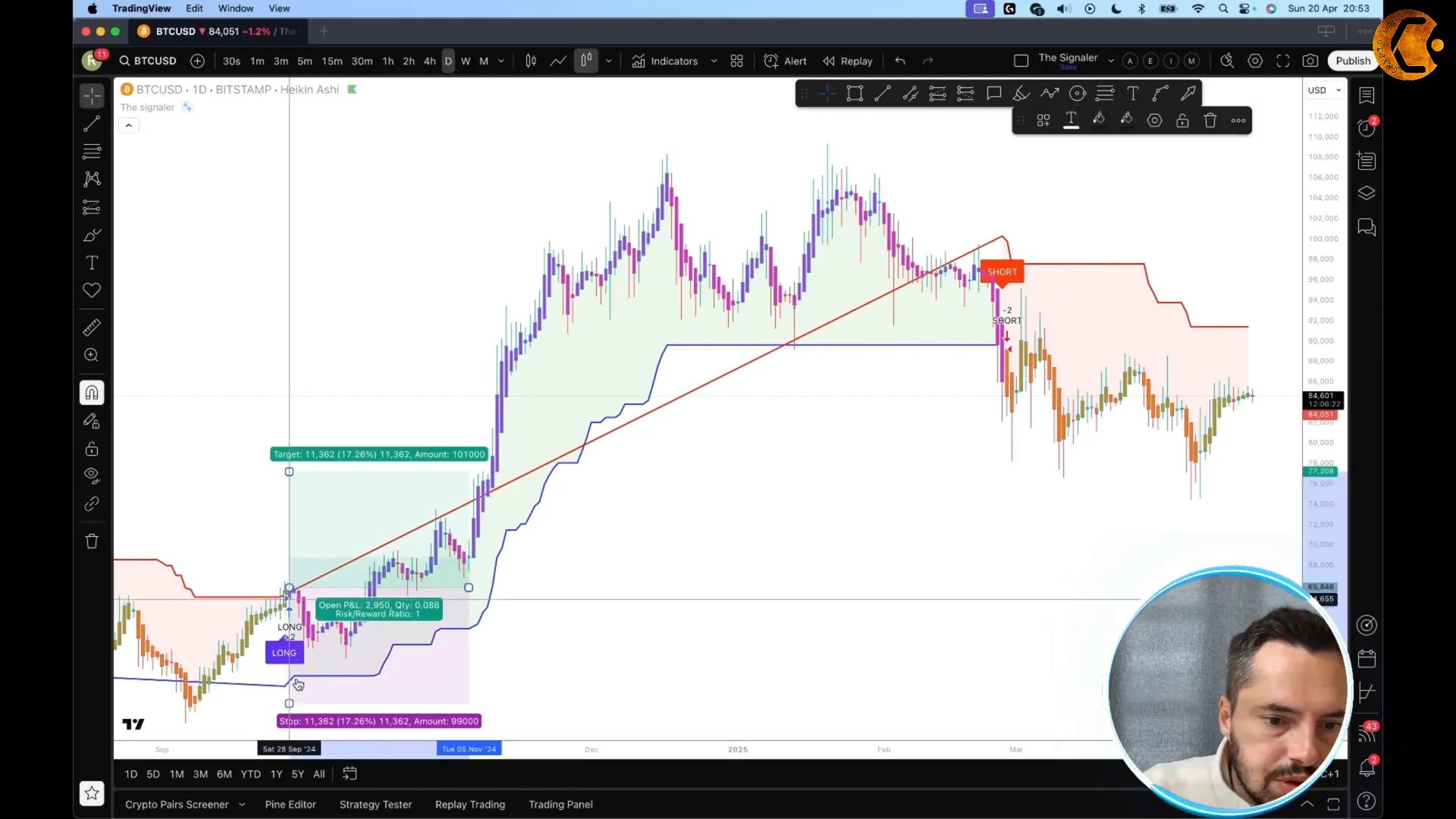
- Long and short trade signals: The indicator generates clear alerts to enter buy or sell positions.
- Trend background colors: A green background indicates a bullish trend, while a red background signals a bearish trend.
- Integration with Heikin Ashi candles: This combination smooths out price action, making trends easier to spot and act on.
- Customizable alerts: You can set up alerts on TradingView, so you never miss a trading signal.
This indicator is particularly effective for trading cryptocurrencies like Bitcoin and XRP, where price movements can be volatile but highly profitable if timed correctly.
How I Use The Signaler Gold Indicator for Trading
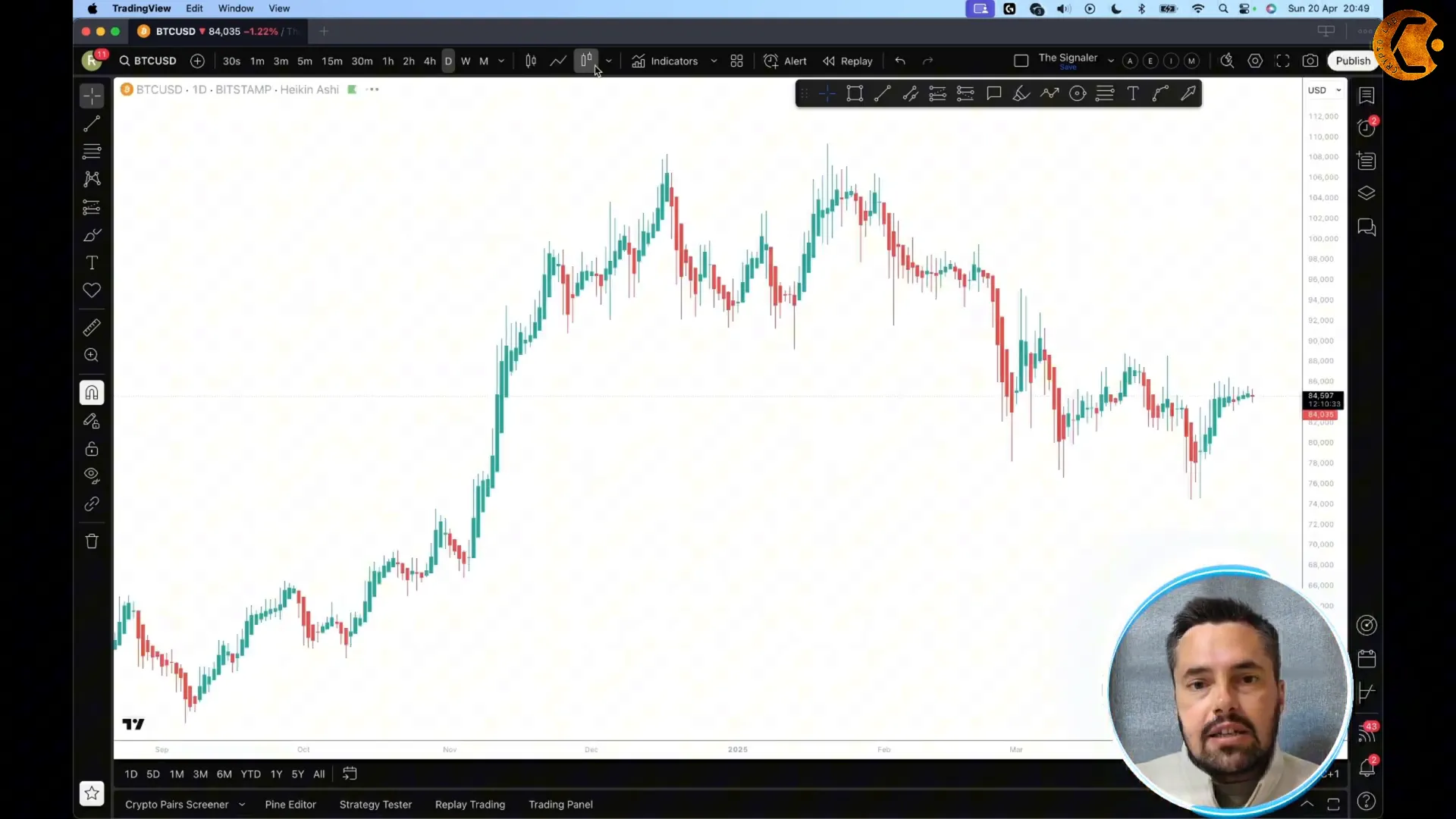
Before diving into trades, I always set my chart to use Heikin Ashi candles. These candles help filter out market noise and give a clearer view of the trend. To add this to your TradingView, look for the candle style selector and choose Heikin Ashi.
Next, I add The Signaler indicator from the “Invite Only” section under the indicators menu on TradingView. Once loaded, you’ll see the long and short signals appear directly on the chart, along with the colored backgrounds indicating bullish or bearish trends.
Here is how I approach trades with this indicator:
- Entry Point: I enter the trade as soon as the indicator alerts me. This alert is typically shown on the candle itself.
- Stop Loss Placement: My stop loss is placed behind the trend line to protect against adverse moves.
- Risk-Reward Ratio: While many strategies aim for a 1:1 or 2:1 risk-reward ratio, with cryptocurrencies I let the trade run much longer. For example, one of my Bitcoin trades achieved a 4.5:1 reward-to-risk ratio.
To put that into perspective, if you risked 1% of your account on that trade, you could have gained about 42% profit. In monetary terms, risking £1,000 could have returned £45,000. This is the kind of opportunity that The Signaler helps uncover.
Managing Risk with Market Structure
Risk management is critical in trading. Once I enter a trade, I monitor the market structure closely. This means watching for higher highs and higher lows in an uptrend. As soon as the first higher high is created and subsequently broken, I move my stop loss to break even. This step removes my initial risk and allows me to ride the trend with peace of mind.
By combining The Signaler’s alerts with solid market structure analysis, I can maximize my profits while minimizing losses. This disciplined approach has been a cornerstone of my success.
How to Get Started with The Signaler Gold Indicator
Getting access to The Signaler is straightforward. There is a 1-day free trial available, which gives you a risk-free opportunity to backtest and experience the indicator’s power firsthand. To activate the trial, you will need to provide your TradingView username, which you can find by clicking the profile icon on the top left corner of TradingView.
Once you have access, you can set up alerts easily:
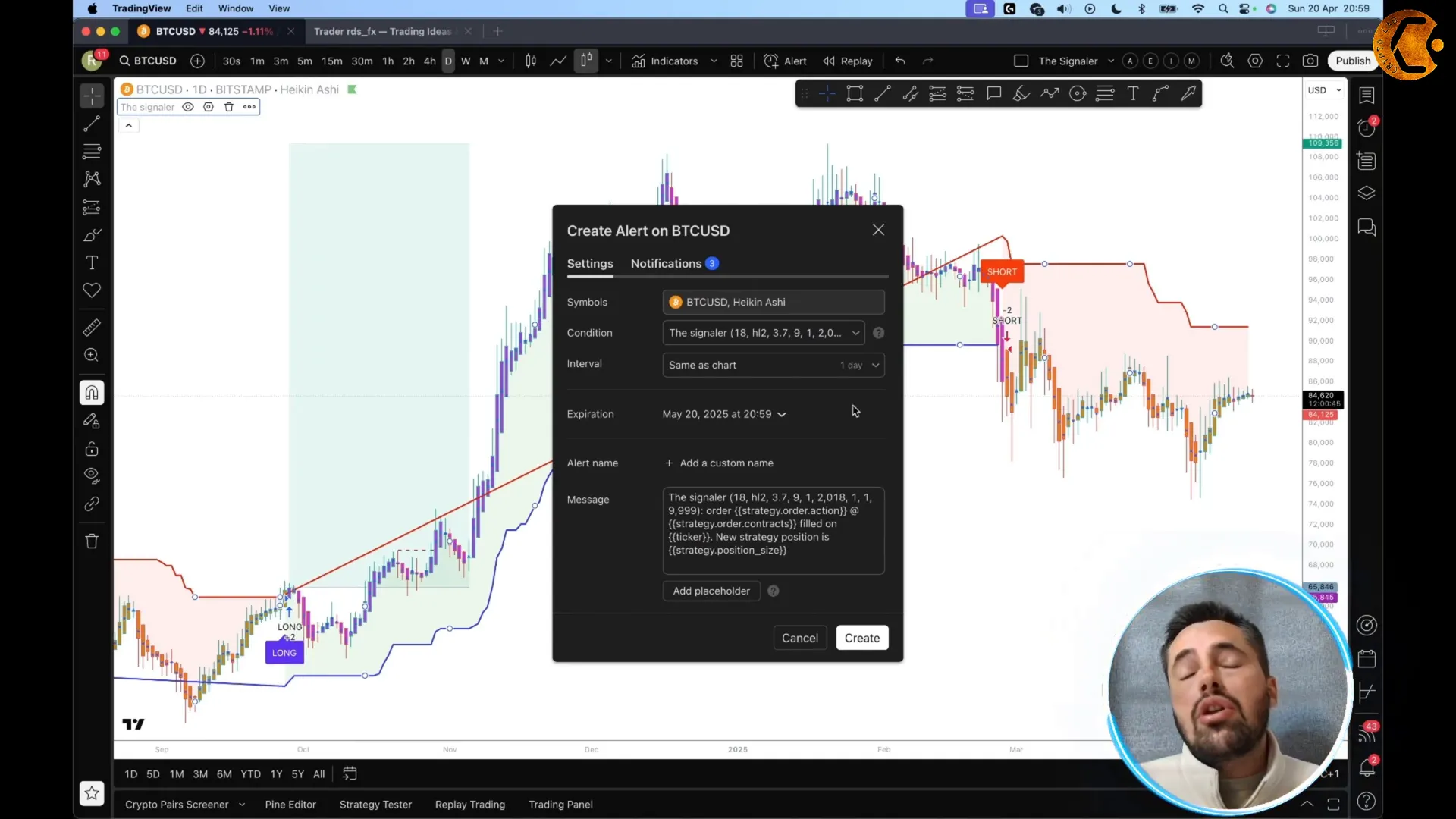
- Click on the indicator icon on your TradingView chart.
- Click the three dots next to The Signaler indicator.
- Select “Add Alert on TradingView.”
- Choose your preferred timeframe (I recommend daily for crypto trading) and hit create.
After this setup, you will receive notifications directly on your phone or laptop whenever the indicator generates a trading signal, making it easier to act quickly and confidently.
If you find The Signaler as valuable as I have, consider purchasing the lifetime subscription. The payment process is simple and secure through a crypto-friendly bot on ClickBay, accepting payments like USDT. This subscription ensures you always have access to this powerful Gold indicator without recurring fees.
Community Results and Continued Learning
One of the best aspects of using The Signaler is the vibrant community around it. There is a dedicated Telegram channel where users share their successes and discuss trades made using the indicator. This transparency and support system help build confidence and provide real-world proof of the indicator’s effectiveness.
In upcoming content, I plan to share more examples of how The Signaler helped me catch massive moves, like a significant rally in XRP. These real-life case studies will further demonstrate how this Gold indicator can be applied across various cryptocurrencies.
Final Thoughts: Why The Signaler Is a Must-Have Tool
Trading is tough, but it doesn’t have to be a losing battle. The Signaler indicator has completely changed my approach and results, turning my losses into consistent profits. Its clear signals, combined with smart risk management and market structure analysis, give traders a powerful edge.
If you’re serious about improving your trading, I highly recommend trying out The Signaler. The 1-day free trial lets you test it without commitment, and the lifetime subscription ensures you never miss out on its benefits. Start your journey toward better trading outcomes by visiting The Signaler’s official website today.
Remember, this is an educational resource and not financial advice. Always trade responsibly and do your own research before making any investment decisions.
Happy trading!
The Signaler! 🌍✨
🌍✨ Click the link below for in-depth analysis on trends, technology, and more! 🔗📢
Click Here


